

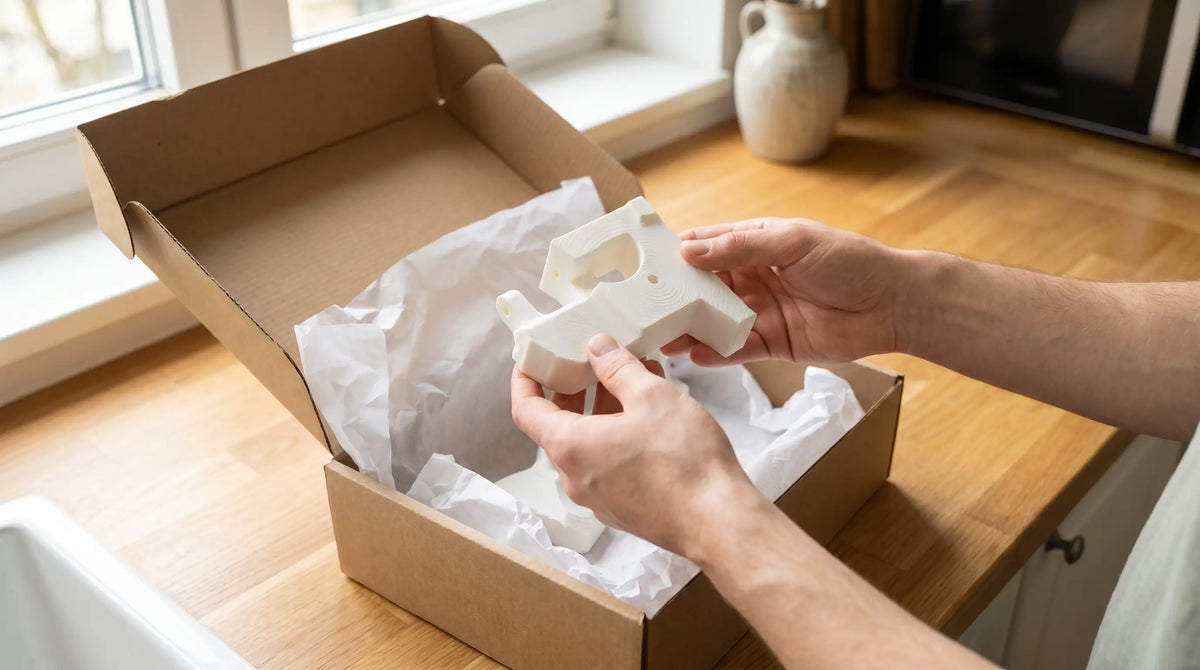
3D printer for beginners — or just order it online
- You don't need to own a 3D printer to use 3D printing — an online service is faster and cheaper for most people
- A beginner 3D printer costs DKK 2,000-6,000 and takes time to set up, calibrate and troubleshoot
- Bambu Lab A1 Mini and Bambu Lab P1S are the best beginner printers in 2026 — but they don't solve everything
- PLA is the easiest material to start with: low print temperature, no heated bed required
- Upload your STL file and receive a quote within 24 hours — no printer, no failed prints, no wasted time
Table of contents
- Printer or print service — which is smarter?
- When does it make sense to buy a 3D printer as a beginner?
- The best 3D printers for beginners in 2026
- Technical overview: beginner printer comparison
- Materials for beginners — start here
- From experience
- Frequently asked questions
Printer or print service — which is smarter?
Many beginners start by googling "3D printer for beginners" and end up buying a printer before they really know what they'll use it for. That's rarely the best start. A 3D printer is a craft tool — like a lathe or a laser cutter — and it takes time to learn, calibrate and troubleshoot.
The question you need to ask yourself is: Do I need to print 10, 50 or 500 parts? And: Do I have the time and interest to learn the printing process?
If you need 1-5 parts quickly, an online 3D print service like Maker Factory is the cheapest and fastest solution. You only pay for what you need, you skip the failed prints, and you get advice on material and design included. Use our quote request form and get a response within 24 hours.
If, on the other hand, you're planning to experiment on an ongoing basis — making spare parts, hobby projects, tabletop gaming models or prototypes — and you want to learn the process, a printer is a good investment. But be prepared for a learning curve.
When does it make sense to buy a printer as a beginner?
You want to experiment and learn
3D printing is a craft discipline. If curiosity and the learning process itself motivate you, a printer is a natural choice. There's a thriving community on Facebook, YouTube and Reddit sharing experience, files and tips. You'll get failed prints — that comes with the territory — but you'll learn what the materials can do, how design affects printing, and when support structures are needed. That knowledge is valuable if you use 3D printing professionally.
You have an ongoing need for small quantities
If you regularly need 3-10 parts a month — hobby projects, household spare parts, miniatures, custom brackets — a printer starts to pay for itself. A print hour on a Bambu Lab A1 Mini costs about DKK 2-3 in electricity and material. Over time, that's cheaper than ordering externally. But budget 3-6 months before you're comfortable enough with the process to print reliably.
You have a specific project that requires iteration
Product development and prototyping with many design iterations is a natural fit for a home printer. You print, test, adjust the design and print again — you can do that overnight instead of waiting 2-4 days per iteration with an external service. For final production parts with tighter requirements, a professional service is still better.
- You want to experiment and get to know the printing process
- You have an ongoing need for 5-10+ parts a month in the long run
- You work with product development and need fast iteration
- Free time and interest in the craft motivate you
- You need 1-10 parts quickly without wanting to learn the printing process
- Your part requires a technical material like PA6-CF, TPU or SLA resin
- Quality and tolerance matter (professional printers perform better)
- You want advice on design and material included
The best 3D printers for beginners in 2026
The market has changed significantly in recent years. Bambu Lab has set a new standard for "plug-and-play" FDM printing, and prices have dropped to the point where a competent beginner printer is available from DKK 3,000. Here are the models we recommend based on our experience running a print fleet:
Bambu Lab A1 Mini (DKK 3,000-4,000): The best beginner printer for most people. Auto-calibration, wifi-connected, no manual adjustment. Build volume 180×180×180 mm. Prints PLA, PETG and TPU reliably. Limited to that filament range — no ABS without modifications.
Bambu Lab P1S (DKK 6,000-8,000): Enclosed housing that handles ABS and ASA. Larger build volume (256×256×256 mm). Better suited to technical materials. Recommended for those who already know they'll want to print advanced materials.
Prusa MK4S (DKK 3,500-5,000): The solid open-source alternative. A bit harder to set up than Bambu Lab, but has a broadly supported community and is easy to repair. Good for PLA and PETG. Requires more manual setup than Bambu Lab.
Creality Ender 3 V3 (DKK 2,000-2,500): The cheapest entry point. Requires patience and some technical interest. Plenty of tutorials and mods available online. Not recommended for those who want it to just work out of the box.
Technical overview: beginner printer comparison
| Model | Price | Build volume | Enclosure | Beginner-friendliness |
|---|---|---|---|---|
| Bambu Lab A1 Mini | ~DKK 3,500 | 180×180×180 | Open | ★★★★★ |
| Bambu Lab P1S | ~DKK 7,000 | 256×256×256 | Enclosed | ★★★★☆ |
| Prusa MK4S | ~DKK 4,500 | 250×210×220 | Open | ★★★★☆ |
| Creality Ender 3 V3 | ~DKK 2,200 | 220×220×270 | Open | ★★★☆☆ |
Materials for beginners — start here
| Material | Difficulty | Print temp. | Bed temp. | Recommended for |
|---|---|---|---|---|
| PLA | Easy ✅ | 190-220°C | Not required | Models, hobby parts, prototypes |
| PETG | Medium ⚠️ | 230-250°C | 70-85°C | Mechanical parts, waterproof items |
| TPU | Medium ⚠️ | 220-240°C | 30-60°C | Flexible parts, seals, grips |
| ABS / ASA | Hard ❌ | 230-250°C | 90-110°C | Technical parts exposed to heat |
Start with PLA. It's the easiest material and the best way to get to know your printer. PLA is plant-based (corn or sugarcane starch), biodegradable, and printable at low temperatures — you don't need a heated bed. Once you've got PLA printing down, you can move on to PETG, which gives better heat and chemical resistance.
We see it regularly: customers who bought a printer, spent 20+ hours getting it to work, and end up sending us the STL file anyway. Not because they gave up — but because they realize they need a print quality they can't achieve with a beginner printer. We print on professional Bambu Lab X1C machines with calibrated profiles per material. The result is consistent from part to part, with tolerances of ±0.1-0.2 mm.
Frequently asked questions
What is the cheapest 3D printer for beginners?
The cheapest printer we'd recommend is the Creality Ender 3 V3 at around DKK 2,000-2,500. But it requires some technical interest and patience. For most beginners, the Bambu Lab A1 Mini at around DKK 3,500 is a better investment because it works out of the box without a long setup.
Can you make money with a 3D printer as a beginner?
It's possible, but hard as a beginner. The market for 3D-printed products is competitive. A better approach is to use the printer for your own projects and prototypes, get to know materials and design, and then consider a business model once the skills are there.
What can you make with a 3D printer as a beginner?
Hobby models and miniatures (via Thingiverse or Printables), household spare parts (brackets, knobs, lids), custom organizing systems, board-game accessories and gifts. Start simple — flat parts with a lot of contact area are easier to print than complex geometries with overhangs.
How do you find 3D print files as a beginner?
Thingiverse.com and Printables.com are the two largest free repositories with millions of free STL files. Cults3D and MyMiniFactory offer paid high-end designs. For your own designs, Tinkercad (free, browser-based) is the easiest beginner program — and Fusion 360 (free for hobbyists) for more advanced constructions.
What's the first thing you should print as a beginner?
Start with calibration models — a 20×20×20 mm calibration cube and a tolerance ring. That tells you whether your printer is calibrated correctly. After that: something you actually need. A bracket, a lid for a container, or a model you can hold and feel the print texture of.
How long does it take to learn 3D printing?
Plan on 1-3 months before you're printing reliably. The first few weeks are about understanding calibration and materials. The following month, about learning slicing software (Bambu Studio, PrusaSlicer). After that it's ongoing improvement. Many spend years refining their technique — but most people reach basic functional printing within 4-8 weeks.
Is it easier to order 3D printing online than to print it yourself?
Yes, for most use cases. You upload your STL file, choose a material, receive a quote and get the part delivered. No calibration, no failed prints, no wasted material. At Maker Factory you receive a quote within 24 hours and delivery typically within 2-4 business days. See our guide to ordering 3D printing online.
Upload your STL file and receive a quote within 24 hours.
Request a quote →Thinking about getting started with 3D printing? We're happy to help — whether it's advice on which printer suits your needs, or whether you need something specific printed. Maker Factory has worked with 3D printing for private customers and business customers since 2013 and knows the process from both sides.
CVR 38935836 · 3D printing and production since 2013
Henrik has owned and professionally run Bambu Lab printers since they came to market and knows the models' strengths and limitations.
Mere fra Blog
 PC 3D printing — polycarbonate for heat and industrial parts
In short — PC (polycarbonate) 3D printing: PC is the strongest and most heat-resistant FDM material for technical parts —...
Læs artiklen →
PC 3D printing — polycarbonate for heat and industrial parts
In short — PC (polycarbonate) 3D printing: PC is the strongest and most heat-resistant FDM material for technical parts —...
Læs artiklen →
 3D printed jigs and fixtures — faster and cheaper than CNC
In short — 3D printed jigs and fixtures: 3D printed jigs and fixtures cost 5–20× less than CNC-machined aluminum and...
Læs artiklen →
3D printed jigs and fixtures — faster and cheaper than CNC
In short — 3D printed jigs and fixtures: 3D printed jigs and fixtures cost 5–20× less than CNC-machined aluminum and...
Læs artiklen →
 Nylon 3D printing — PA6-CF for industry and functional parts
In short — the key facts about nylon 3D printing: Nylon (polyamide) is the strongest FDM material for mechanically loaded...
Læs artiklen →
Nylon 3D printing — PA6-CF for industry and functional parts
In short — the key facts about nylon 3D printing: Nylon (polyamide) is the strongest FDM material for mechanically loaded...
Læs artiklen →